
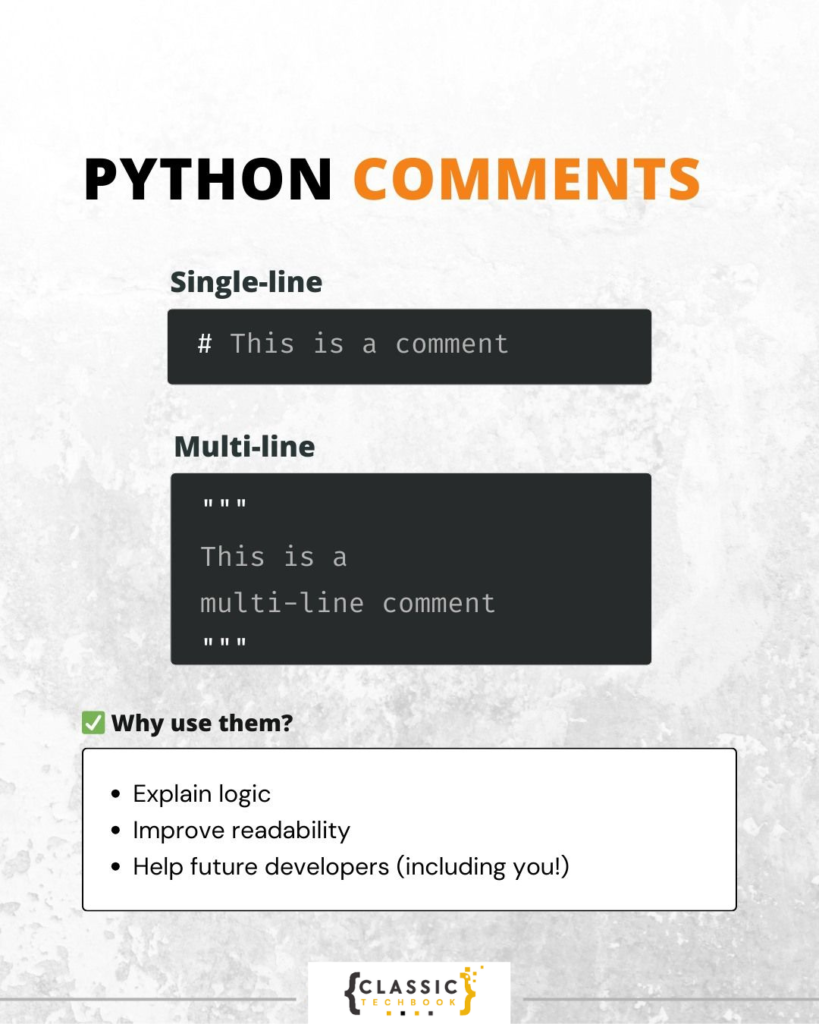
It’s crucial to write functional code. It is even more crucial to write human-readable code. Python comments are really important in this situation. Knowing how to utilize comments correctly can significantly enhance the quality of your code, regardless of whether you are a seasoned developer working in a team or a newbie beginning to program.
We’ll go over what Python comments are, their types, best practices, typical errors, and how they may help you write clear, readable code in this book.
What Are Python Comments?
Python comments are additions made to the source code that the Python interpreter ignores. They are not written for computers, but rather for people. They serve to clarify the function of the code, the rationale behind particular choices, or the operation of particular logic.
Comments can be compared to textbook side notes. The code is the primary substance, and the comments aid readers in comprehending it.
Types of Python Comments
Python provides multiple ways to write comments, each serving a different purpose.
1. Single-Line Comments
Single-line comments are the most common type of Python comments. They begin with the hash symbol #.
# This variable stores the user's age
age = 25
When to use:
- Explaining a single line of code
- Adding short notes
- Temporarily disabling code during testing
2. Multi-Line Comments
Python does not have a special symbol specifically for multi-line comments, but developers use two common methods:
Method 1: Multiple # symbols
# This function calculates the total price
# It includes tax and discount
# Used in the checkout process
Method 2: Triple quotes (”’ or “””)
"""
This block explains the logic of the program.
It spans multiple lines.
Useful for longer explanations.
"""
Although triple quotes are technically multi-line strings, they are often used like comments when not assigned to a variable.
3. Docstrings (Documentation Strings)
Docstrings are special Python comments used to document functions, classes, and modules. They are written using triple quotes and become part of the object’s metadata.
def add(a, b):
    """Return the sum of two numbers."""
    return a + b
Docstrings are used by documentation tools and IDEs, making them very important in professional development.
Why Python Comments Are Important
Using Python comments effectively offers many benefits:
1. Improves Readability
Code can become complex. Comments help others quickly understand the logic.
2. Supports Team Collaboration
In team projects, different developers read and modify code. Comments provide context.
3. Makes Debugging Easier
When you return to your code after months, comments help you recall the logic.
4. Helps Beginners Learn
New programmers can follow the thought process more easily when comments explain the steps.
5. Enhances Maintainability
Well-commented code is easier to update and modify.
Best Practices for Writing Python Comments
Not all comments are useful. Good Python comments follow certain principles.
✅ Keep Comments Clear and Concise
Avoid long paragraphs. Use simple language.
✅ Explain Why, Not Just What
Bad:
# Add 5 to x
x = x + 5
Good:
# Increase x to include the service fee
x = x + 5
✅ Update Comments with Code Changes
Outdated comments can mislead developers.
✅ Avoid Obvious Comments
Do not explain what is already clear from the code.
✅ Follow PEP 8 Guidelines
PEP 8 is Python’s official style guide and includes documentation standards.
Common Mistakes to Avoid
❌ Over-Commenting
Too many comments make code cluttered.
❌ Writing Misleading Comments
If the comment says one thing but the code does another, it causes confusion.
❌ Using Comments Instead of Better Code
Instead of:
# Calculate the area of a rectangle
a = l * w
Write:
area = length * widthBetter variable names reduce the need for comments. And click here to learn more python programming mistakes
Python Comments vs Docstrings
| Feature | Comments | Docstrings |
|---|---|---|
| Purpose | Explain code | Document functions/classes |
| Syntax | # | """ """ |
| Used by tools | No | Yes |
| Stored in metadata | No | Yes |
Both are important, but docstrings are essential for documentation systems.
Real Example: Code Without Comments vs With Comments
Without Comments
total = price * quantity
total = total - discount
print(total)
With Python Comments
# Calculate total cost based on quantity
total = price * quantity

# Apply discount to total amount
total = total - discount

# Display final amount
print(total)
The second version is much easier to understand.
How Comments Help in Professional Development
In real-world software development, Python comments are vital.
- Code Reviews: Reviewers understand logic faster
- Team Projects: Shared understanding
- Open Source: Others can contribute easily
- Industry Standards: Companies expect documented code
Well-documented code shows professionalism.
Tools That Use Python Comments
Several tools benefit from proper documentation:
- Sphinx – Generates documentation from docstrings
- IDEs – Show function descriptions automatically
- Linters – Check comment style
- Auto Documentation Tools – Create project docs
When NOT to Use Comments
There are situations where comments are unnecessary:
- When code is self-explanatory
- When better naming can replace comments
- When refactoring can make logic clearer
Example:
Bad:
# Check if user is active
if u == True:
Better:
if user_is_active:
Conclusion
Python comments are not just optional notes — they are a key part of writing clean, readable, and maintainable code. They help individuals and teams understand the logic behind programs, reduce confusion, and improve collaboration.
Remember:
- Use comments wisely
- Keep them updated
- Focus on clarity
Clean code is not only about syntax; it is about communication.
click here to learn more about comments in python.
Frequently Asked Questions
Q1. What symbol is used for Python comments?
The # symbol is used for single-line comments.
Q2. Are multi-line comments officially supported?
Python uses multiple # lines or triple quotes.
Q3. What is the difference between comments and docstrings?
Docstrings document functions and are used by tools, while comments are ignored completely.
Q4. Do Python comments affect performance?
No, comments are ignored by the interpreter.

