

When you run Python program successfully first time it seems like a success in your coding journey you hit the first milestone. Lots of beginners get stuck between “How to install python in PC?” or “How to run Python program?”.
This complete guide is based on these questions and give you answer in the simple form step by step and help you in how to run python program?
In this guide I am going to make you learn how to run python program step by step in very simple and easiest way. It doesn’t matter that you have prior knowledge of coding or not. After learning from this guide you will be able to install python in PC and run your python program.
What Is Python?
Python programming is HLL & dynamic language which enables understandable and readable computer language. Beginners in this journey really enjoy the python programming due its simple and easy syntax as compared to other programming language, its feels like that we are typing English language.
Nowadays, everyone is using python in different industries from automation, data science, and even artificial intelligence to mobile apps and websites. Recently Python suggested as the greatest first programming language due to its strength and ease of use.
What You Need Before Running a Python Program
Before you run your first Python program, make sure you have:
- A computer (Windows, macOS, or Linux)
- Internet connection (for downloading Python)
- Basic knowledge of using folders and files
That’s it. No prior coding experience needed, no advance setup, no expensive software.
How to Install Python on Your System
Before learn how to run python program you need to learn how to install Python in PC or laptop.
Firstly, check Python is installed or not by check its version in CMD prompt
On Windows, open Command Prompt and type:
python –version

On macOS or Linux, open Terminal and type:
python3 –version
If you see a version number than Python is already installed in your system. If it is not showing the version then you have to install python in your computer.
click here to download Python
To install python, you have to go to official Python website and the download the latest version of Python, while installing Python on Windows system, make sure you tick the check box“Add Python to PATH”. This small checkbox saves your time from headaches.
Different Ways to Run a Python Program
You can run python program in your system using VS code, jupyter notebook, pycharm, command terminal or you can also write and run python program in online python editors.
Today, in this tutorial mainly focus on the command line method and jupyter notebook method.
Writing Your First Python Program
After installing python in your system, This is the exciting part of the python program in writing your first Python program.
We are going to use Jupyter Notebook in writing our first Python program.
You can install jupyter notebook just by using command prompt by running the command.
install jupyter notebook
open the Jupyter Notebook in any folder you want to save your python program, by using cmd
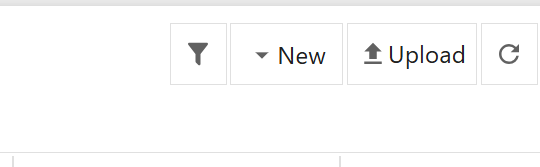
open jupyter notebook and click on this New optino and click on the Python Terminal
And write the code
#first python program
print("Hello World")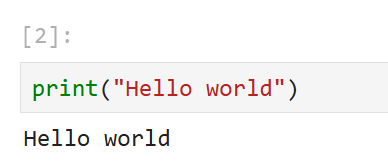
What Does This Code Mean?
The print() function tells Python to display something on the screen.
“Hello, World!” is just a message stored as text.
When you run this program, Python will simply show that message.
How to Run a Python Program (Step by Step)
Once you have written your first python program then next task is to learn how to run python program?
Open Command Prompt (Windows) or Terminal (macOS/Linux). Navigate to the folder where your hello.py file is saved. For example, if the file is on your Desktop, type:
In jupyter notebok you can run your python program just in single click on the run button or using the shortcut key is shift+enter by pressing this shortcut key your code will be run and give the output
Hello World
🎉 Congratulations! You have successfully run your first Python program.
More Python Examples for Beginners
lets write some simple python program
Simple Maths program
#simple maths program
a=5
b= 3
print(a+b)

#output
8
Taking user input
name = input("Enter your name:")
print("Hello", name)

#this program will ask users their name

#Output
Enter your name: Classic Tech Book
Hello Classic Tech Book
Common Beginner Mistakes (And Don’t Worry, Everyone Makes Them)
When something doesn’t function, a lot of beginners become nervous. Most of problems are minor. During installation, Python may not always be added to the PATH. Sometimes, the file may be saved as hello.txt rather than hello.py. Sometimes it’s just a capitalization or spelling error.
The good news? These issues are typical. Learning programming includes fixing them.
Click here, If you want to avoid all of this kind of mistake while learning python program.
What to Learn After Your First Python Program
Once you have lernt how to run python prorgam. And you have written and run your first python program. After this you have to learn some basic concepts of python like varibles, operators, data type, functions, list, tupple etc. step by step. check the complete beginners roadmap
Conclusion
Technically, running your first Python program is a little step, but conceptually, it’s an amazing step. It shows you are capable of coding and that coding is not as difficult as it initially appears. You covered what Python is, how to install it, how to run python program, and how to successfully run it in this guide.
Practice is all that matters from this point forward. Create brief programs, experiment with new examples, make errors, and correct them. Consistency is valued more in Python than intelligence. You’ll be shocked at how soon things begin to make sense if you proceed methodically.
This is just the beginning of your official coding journey 🚀.

